
What Size Fish Finder Screen for Offshore Fishing?
Disclosure: DeepDropFishing.com is reader-supported. When you buy through links on our site, we may earn a commission at no extra cost to you. We only recommend gear we would rig ourselves.
For offshore and deep drop fishing, a 9-inch screen is the sweet spot and a 7-inch screen is the practical minimum, because deep drop fishing almost always means running sonar and chart side by side — and a split screen effectively gives each view only half the display you paid for. Go smaller than 7 inches and the sonar pane gets too cramped to read bottom structure and fish marks at a glance; go up to 10–12 inches and split views stay comfortable from several feet away, if your dash and budget have room. The right size for your boat depends on three things: how you fish, how far the screen sits from your eyes, and how much dash space you actually have. This guide works through each one.
Screen size recommendations at a glance
| Fishing style | Boat size | Typical viewing distance | Recommended screen size |
|---|---|---|---|
| Inshore and nearshore, mostly single-view sonar | Under 20 ft | 2–3 ft | 5–7 inches |
| Mixed inshore/offshore, occasional split screen | 18–24 ft | 2–4 ft | 7–9 inches |
| Offshore and deep drop, sonar + chart split most of the day | 20–30 ft | 3–5 ft | 9 inches (sweet spot) |
| Dedicated offshore boat, split or triple views, helm shared by two anglers | 26 ft and up | 4–6 ft | 10–12 inches |
| Kayak or very small skiff | Under 16 ft | 1–2 ft | 5–7 inches (space rules out more) |
Two patterns run through the table. First, viewing distance drives size more than boat size does: a screen you read from arm’s length can be small, while a screen mounted across a center console needs to be bigger to show the same detail. Second, split-screen use adds roughly one size class. If a 7-inch unit suits your fishing in a single full-screen view, the same fishing with a permanent split usually needs a 9-inch unit.
The split-screen math for deep drop fishing
Deep drop fishing is a two-screen job forced onto one display. You need the chart to hold position over structure and the sonar to read bottom and fish, and offshore you rarely want to give either one up. A split screen solves that, but it halves each view — and that is the calculation that should drive your screen size, not the diagonal alone.
That split is where screen size stops being a luxury. On a 7-inch display split in half, each pane is only about 3.5 inches wide — enough for a simple sonar scroll or a basic chart, but tight when you are trying to separate fish marks from bottom clutter several hundred feet down. On a 9-inch display, each half is roughly 4.5 inches wide, which keeps both the picture and the chart readable at a glance from a normal helm position. On a 10- to 12-inch display, halves run 5–6 inches wide, and a three-way split (chart, traditional sonar, and a second sonar view) stays usable instead of cramped.
Resolution matters as much as inches here. A split pane shows the same number of pixels no matter how the screen is divided, so a higher-resolution display keeps text, depth numbers, and fine sonar detail legible in a half-width pane, while a lower-resolution display can look soft or crowded when split. When you compare two screens of the same size, the sharper one is usually the better split-screen unit.
Zoom is the other workaround, but it has limits. Zooming the sonar pane helps you read a section of the water column on any size screen, yet it does not make chart labels, waypoint names, or menu text any bigger. If you find yourself leaning in to read the unit, the honest fix is a larger screen, not a setting.
Mounting, brightness, and controls
Dash space comes first. A fish finder’s screen size is only the diagonal of the display — the unit itself is always several inches wider and taller once you add the bezel, knobs, and card slots. Before choosing a size, measure the flat area on your dash or console, including room to tilt the unit and reach its controls. If you plan a flush mount, measure the cut-out the manufacturer specifies for that exact model, not just the outside dimensions. A screen that fits on paper but blocks a gauge, a switch, or your view over the bow is the wrong screen.
Gimbal vs. flush mount. A gimbal (bracket) mount lets you tilt and swivel the unit toward whoever is fishing, which effectively shortens the viewing distance and makes a given size easier to read. It also raises the unit off the dash, which can help on a crowded console but needs clearance above and behind it. A flush mount looks cleaner and saves dash space, but it fixes the viewing angle — so be honest about where you will actually stand when you are fishing, not just where the unit looks best at the dock.
Sunlight readability. Offshore screens fight glare, spray, and polarized sunglasses. Look for a bright display with an anti-glare coating and a viewing angle that stays readable when you are not directly in front of it. A larger screen does not automatically fix glare, but it does leave more readable area after you account for reflections and the angle you are forced to view it from.
Touch vs. buttons with wet hands. Touchscreens are fast for panning charts and tapping waypoints in calm conditions. Physical buttons and a keypad are easier to use with wet hands, gloves, and spray, and they let you keep your eyes on the water while you adjust settings by feel. Many offshore anglers prefer a unit with buttons, or a combination of touch and buttons, for exactly that reason.
Worked examples: a 7-inch and a 9-inch unit we cover
The two fish finders reviewed on this site bracket the offshore decision nicely. For the wider buying picture, see our guide to the best fish finder for deep drop fishing.
Garmin STRIKER Vivid 7sv — the 7-inch minimum, done properly
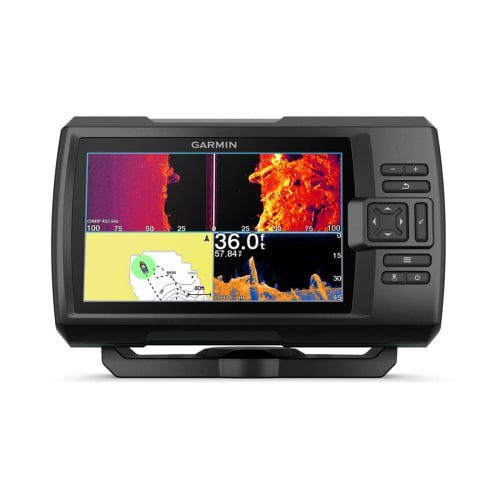
Its 7-inch display runs at 800 x 480 resolution, and the whole unit measures 9.3 × 5.5 × 2.3 in. It is button-controlled, with no touchscreen, which suits wet, rough offshore conditions. That combination makes it a realistic minimum for offshore use: big enough for a single sonar or chart view, and workable for a split if you accept smaller panes.
Read the full breakdown in our Garmin STRIKER Vivid 7sv review. Check Price on Amazon
Humminbird XPLORE 9 — the 9-inch sweet spot
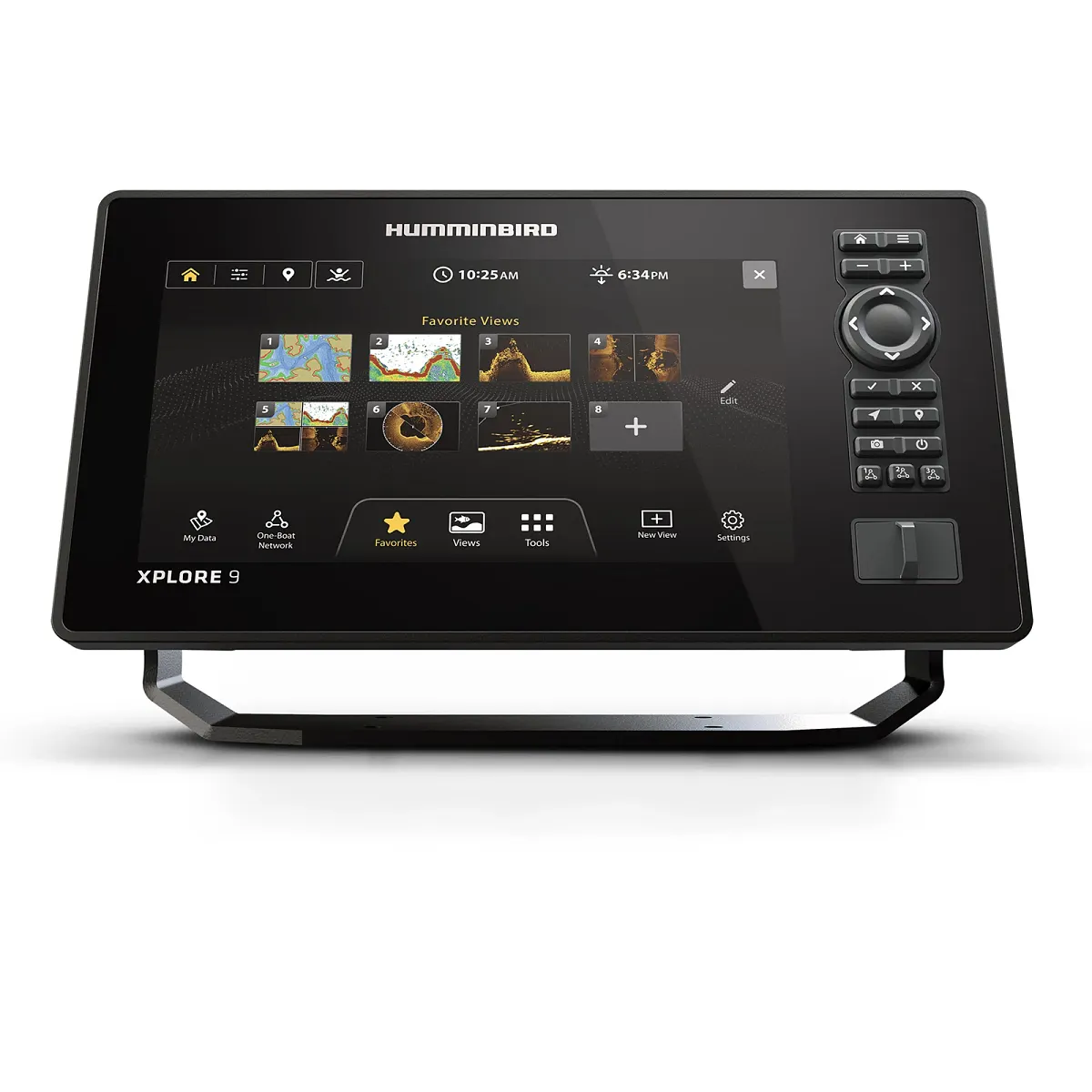
Its 9-inch display runs at 1280 x 720 resolution — noticeably more pixels per split pane than the 7-inch unit — and it uses Cross Touch control, a combination of touchscreen and keypad. That is the sweet spot in practice: a sonar-plus-chart split stays readable, the extra resolution keeps detail legible in each half, and you still have touch for chart work with buttons when conditions get wet.
Read the full breakdown in our Humminbird XPLORE 9 review. Check Price on Amazon
The contrast is the lesson: the 7-inch unit is smaller, lighter, and button-driven, but gives up split-screen comfort, while the 9-inch unit gives up dash space and budget for a split that stays readable all day.
Frequently asked questions
Is a 7-inch fish finder big enough for offshore fishing?
It is the practical minimum. A 7-inch screen works offshore if you mostly run one view at a time and accept a tighter split, but for a permanent sonar-plus-chart split, step up to 9 inches.
What is the best screen size for deep drop fishing specifically?
Nine inches is the sweet spot for most boats: wide enough that a sonar-plus-chart split stays readable from a normal helm position, without the dash and budget demands of a 10- to 12-inch unit.
Does screen resolution matter as much as screen size?
For split-screen use, yes, it is close. Resolution decides how much detail survives when a view is shrunk to half width, so a sharper screen can be easier to read than a softer one of the same size.
Is a bigger screen always better on a boat?
No. The unit is always bigger than its screen diagonal, so an oversized unit can crowd the dash, block gauges or your view over the bow, and cost more than the extra readability is worth if you mostly fish alone at arm’s length.
Touchscreen or buttons for offshore use?
Buttons are the reliable choice with wet hands, gloves, and spray; touch is faster for chart panning and waypoint taps in calm conditions. A combination of both covers most offshore days best.
The bottom line
Pick the smallest screen that still does your real job, and for offshore deep drop fishing that job is usually a sonar-plus-chart split. That makes 9 inches the default choice, 7 inches the minimum if space or budget is tight, and 10–12 inches the right call for a dedicated offshore helm shared by two anglers or run from several feet away. Measure your dash, check the viewing distance, and choose the screen you can still read at a glance when the boat is moving — not just the one that looks biggest at the dock.